
The work.
The details.
All connected.
From the first assignment to the final report, keep your operation in context. Explore the tools your team will use and see exactly how they look in ACT.
Join the waitlistGive every handoff the whole story.
Put the assignment, the people, the place, and the evidence in one work item. The next person can pick up the work without piecing it together from messages.
Explore work items- Assign owners, managers, priorities, due dates, and labels.
- Connect a site, assets, subtasks, and related work items.
- Keep descriptions, files, comments, activity, and photos that show where they were taken.
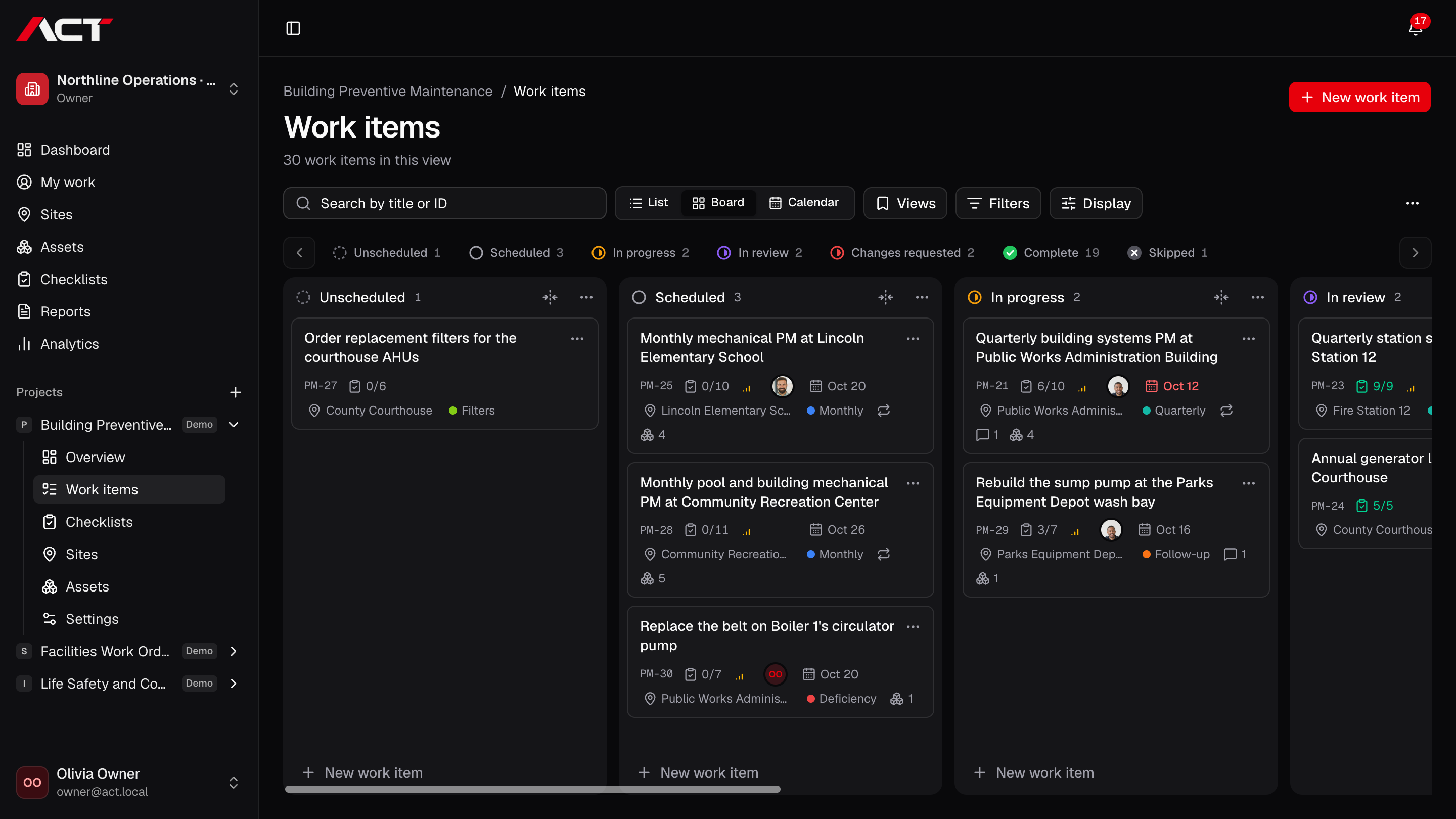
See the queue. Find the work that needs you.
Use a board for the flow of work, a list for the details, or a calendar for the schedule. Your team works from the same work items in every view.
Explore kanban & work views- Switch between list, board, and calendar views.
- Drag work between groups in list and board layouts.
- Filter by the properties that matter to your team.
A lasting home for every location.
Bring site information and the work happening there together. A new assignment starts with the location already in context.
Explore sites- Keep named site records and address details.
- Connect sites with projects and work items.
- Keep the equipment at a location attached to its site.
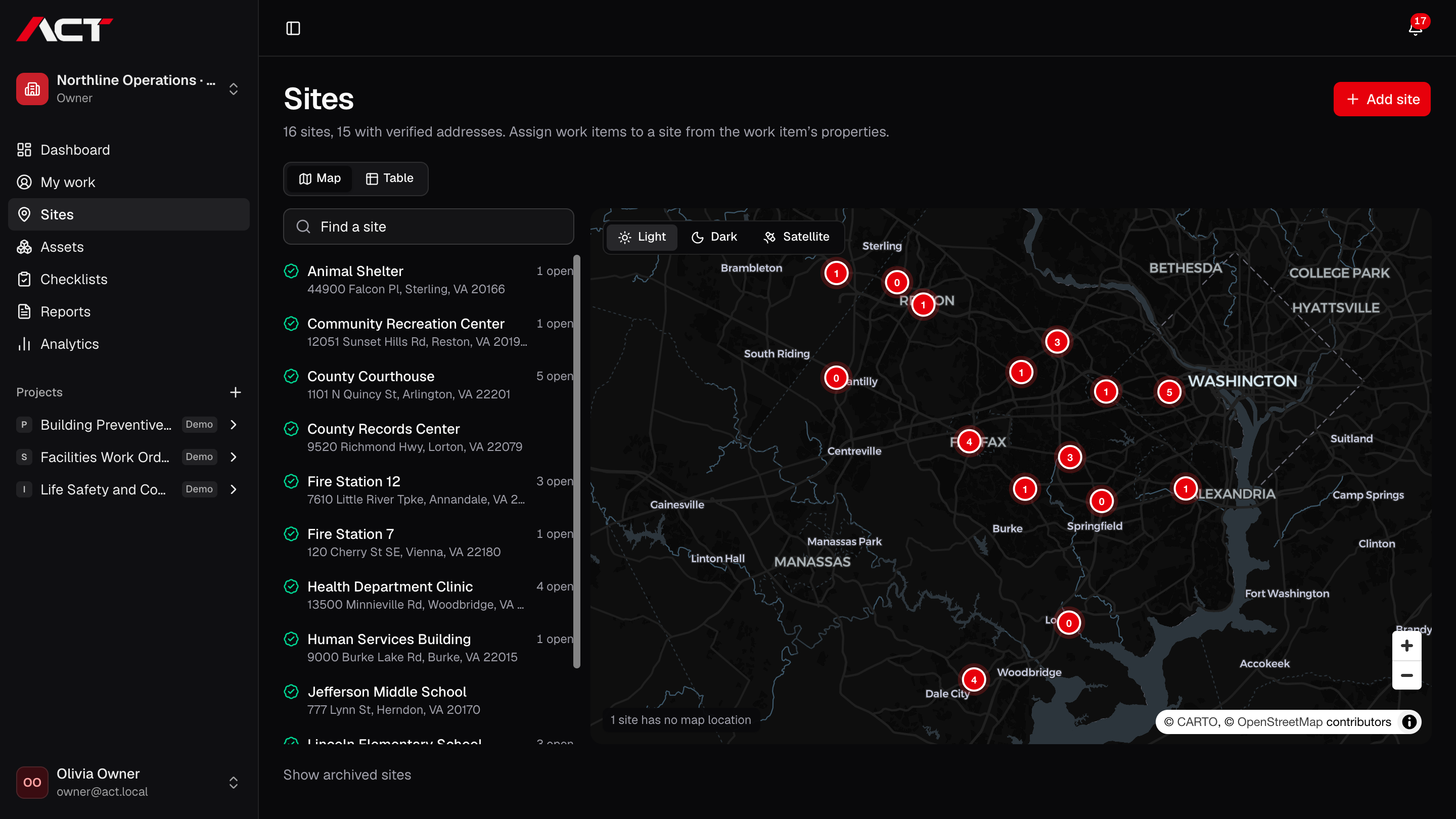
Understand the work by where it happens.
Move from a list of addresses to a geographic view of your operation. Find a site on the map and open the details that explain its work.
Explore site map- Plot sites with verified map locations.
- See open-work counts on site markers.
- Select locations from the map or the accompanying list.
Define done. Capture the proof.
Make the expected result clear before someone starts. Reusable checklists collect the answers, readings, notes, and photos your reviewers need.
Explore checklists & inspections- Use checkbox, choice, number, text, and photo responses.
- Mark required items and explain the work with item instructions.
- Require a note for selected answers, such as a failed check.
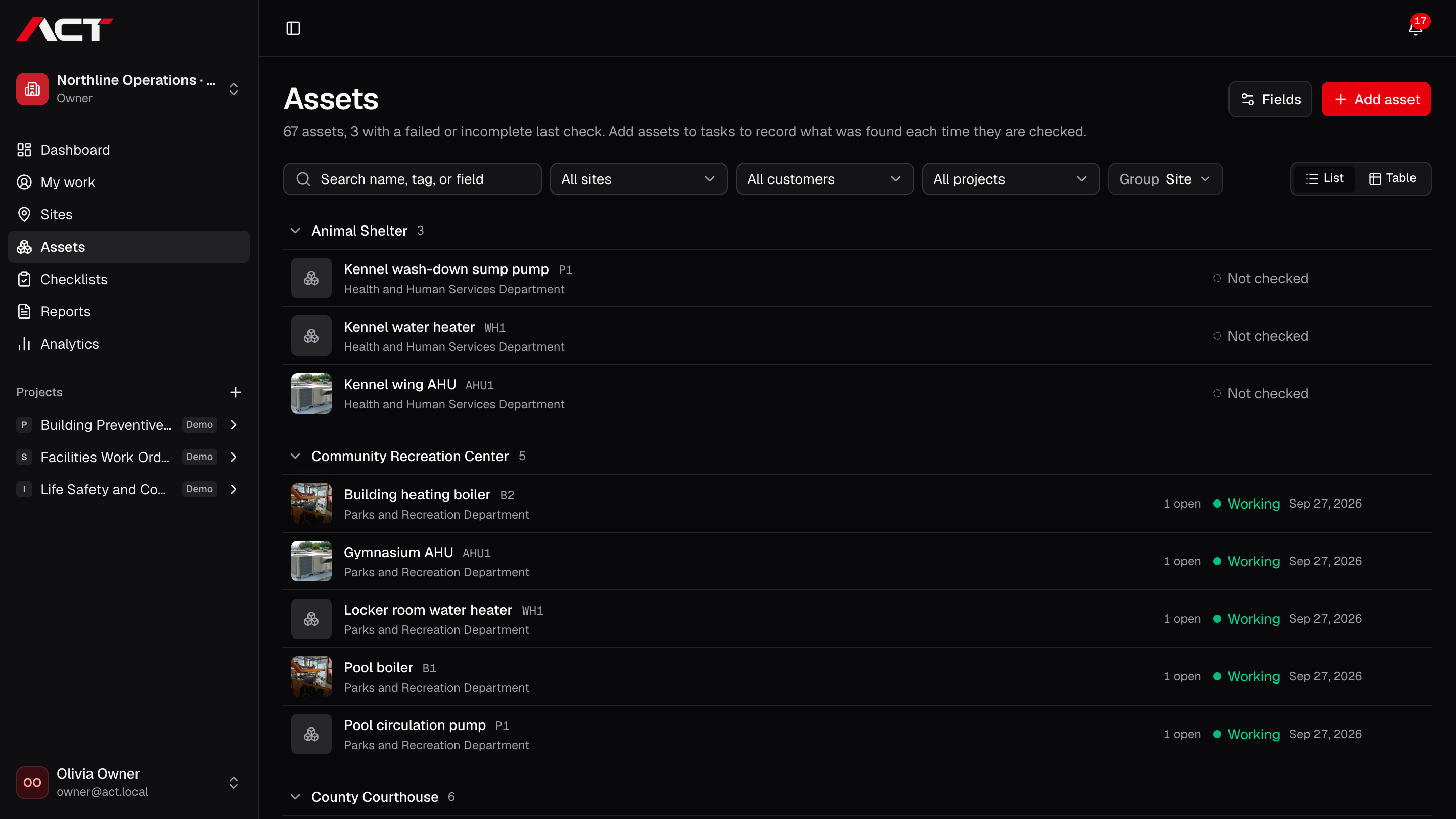
Know the equipment behind the task.
Keep asset identity and operational results connected. Work on a pump, air handler, or other asset stays tied to the equipment it describes.
Explore assets- Organize assets by site with names, tags, types, and map icons.
- Add custom asset fields and supporting files.
- Place each asset on the map at its site.
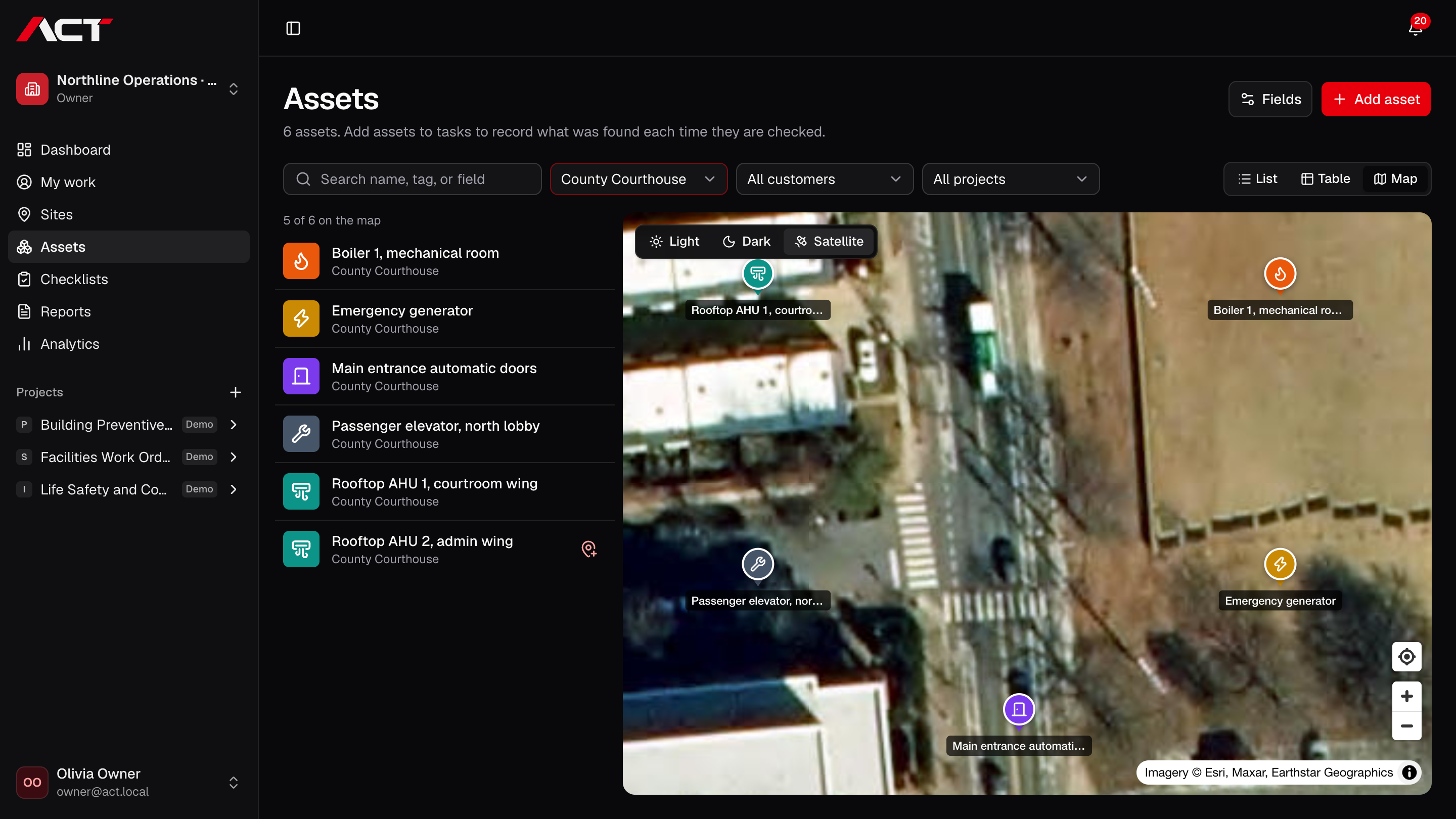
Find every asset on site.
Put each pole, unit, and door on the map where it stands. Crews see what to check and where it is, and the office sees which assets are done and which need attention.
Explore asset map- Place an asset by moving the map under its pin, on a desktop or a phone.
- Start at the asset's site, or jump to where you stand with your phone's location.
- Give each asset an icon and color so it is easy to spot on the map and in lists.
See where every photo was taken.
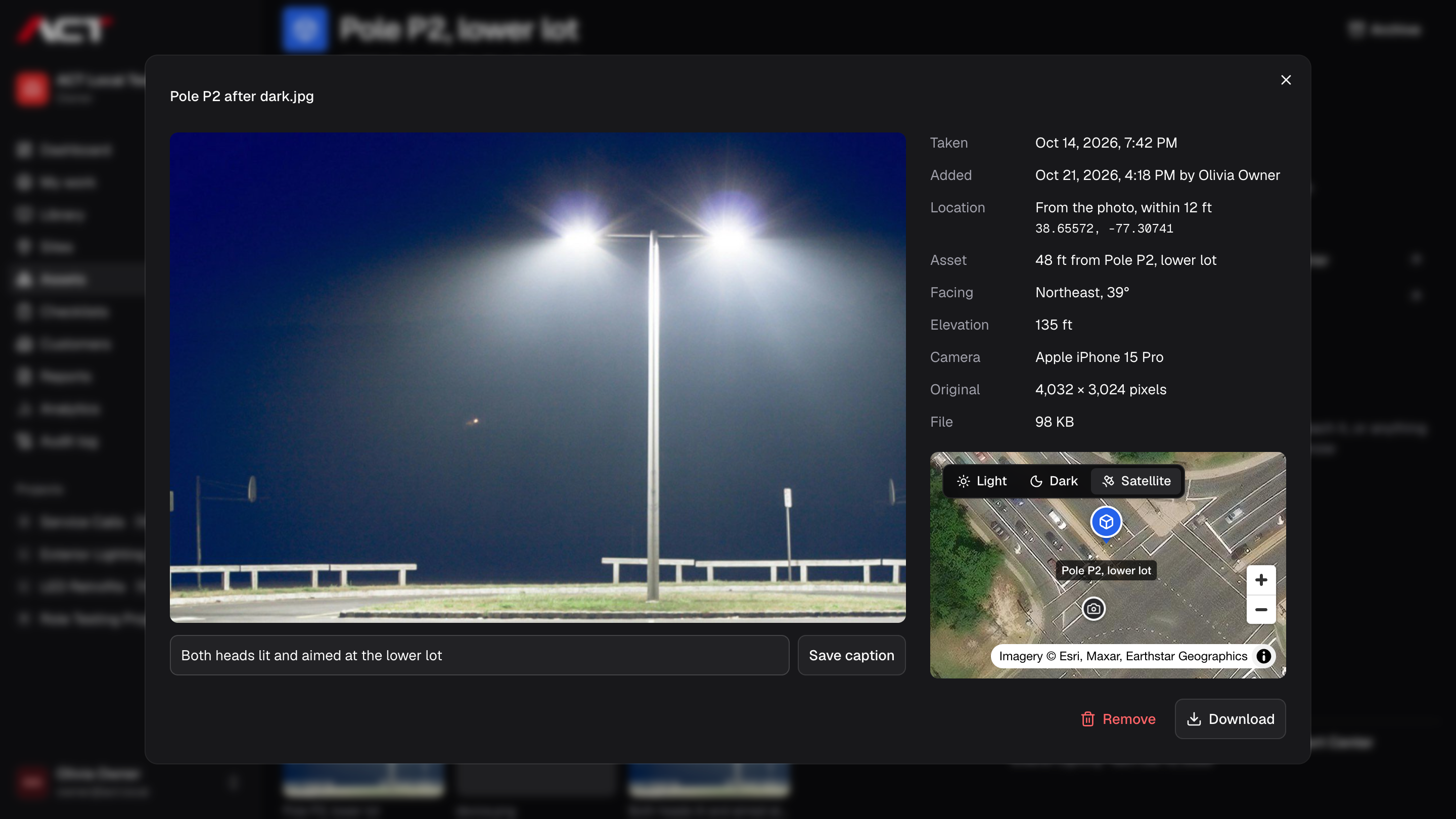
Each photo keeps when and where it was taken. Open it to see the spot on a map next to the asset or site it belongs to, and how far apart they are.
Explore photo locations- Read the time, place, and camera from each photo's own data before upload.
- Fall back to the phone's position when its camera leaves the location out.
- Show the photo's spot on a map beside its asset, or its site.
Give people the access their work needs.
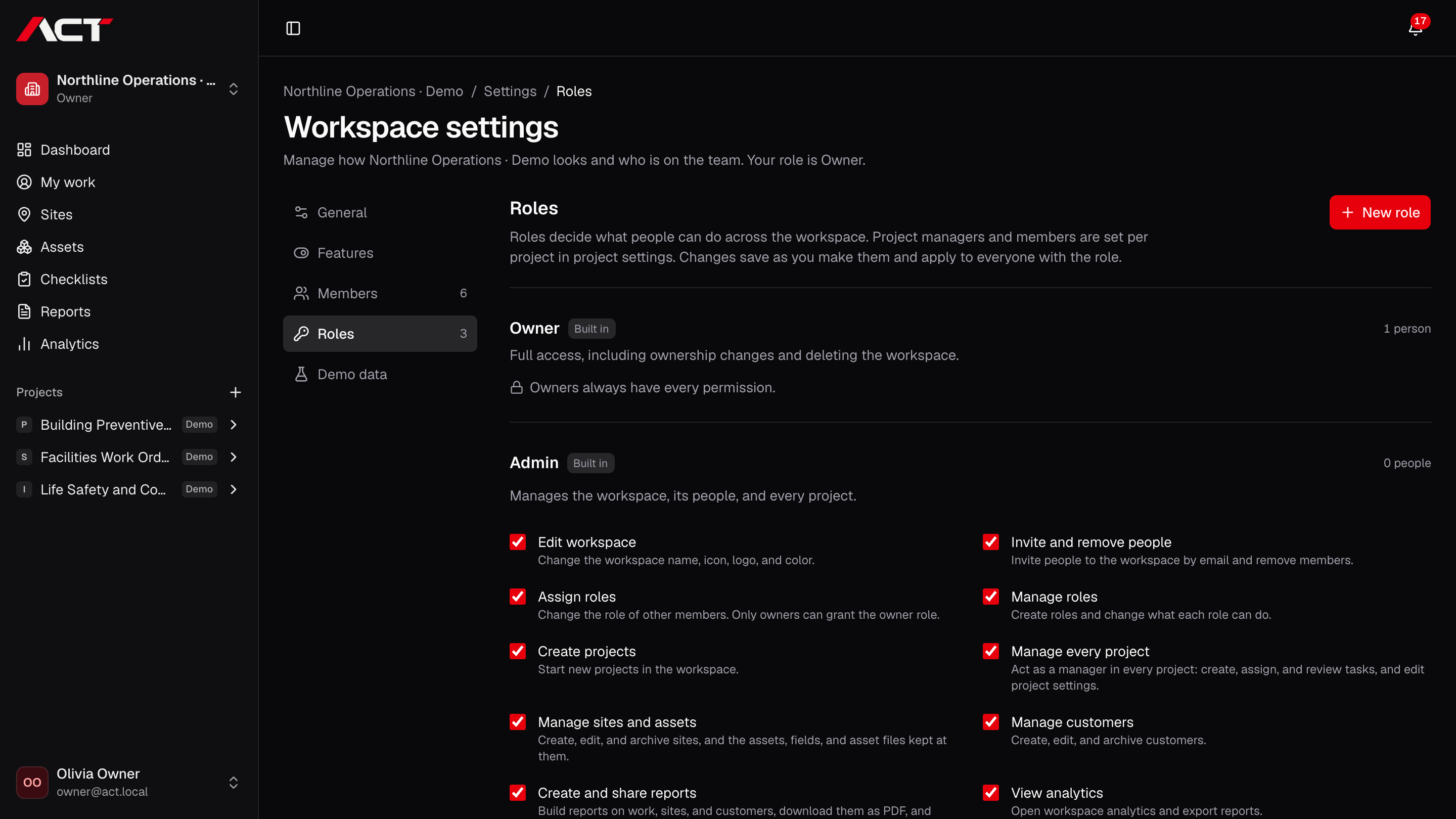
Separate workspace responsibilities from project participation. Invite the team, define roles, and keep permission decisions explicit.
Explore teams & roles- Invite people using expiring invitation links.
- Use workspace owner, administrator, and member roles.
- Create custom roles with explicit permissions.
Know who did what, and when.
Every action in ACT is recorded with who did it, when, from which IP address and browser, and what changed before and after.
Explore audit log- Record sign-ins and failed sign-ins, exports, and downloads.
- Record changes to work, people, roles, and billing, with the values before and after.
- See who acted, when, and from which IP address and browser.
Turn completed work into something you can share.
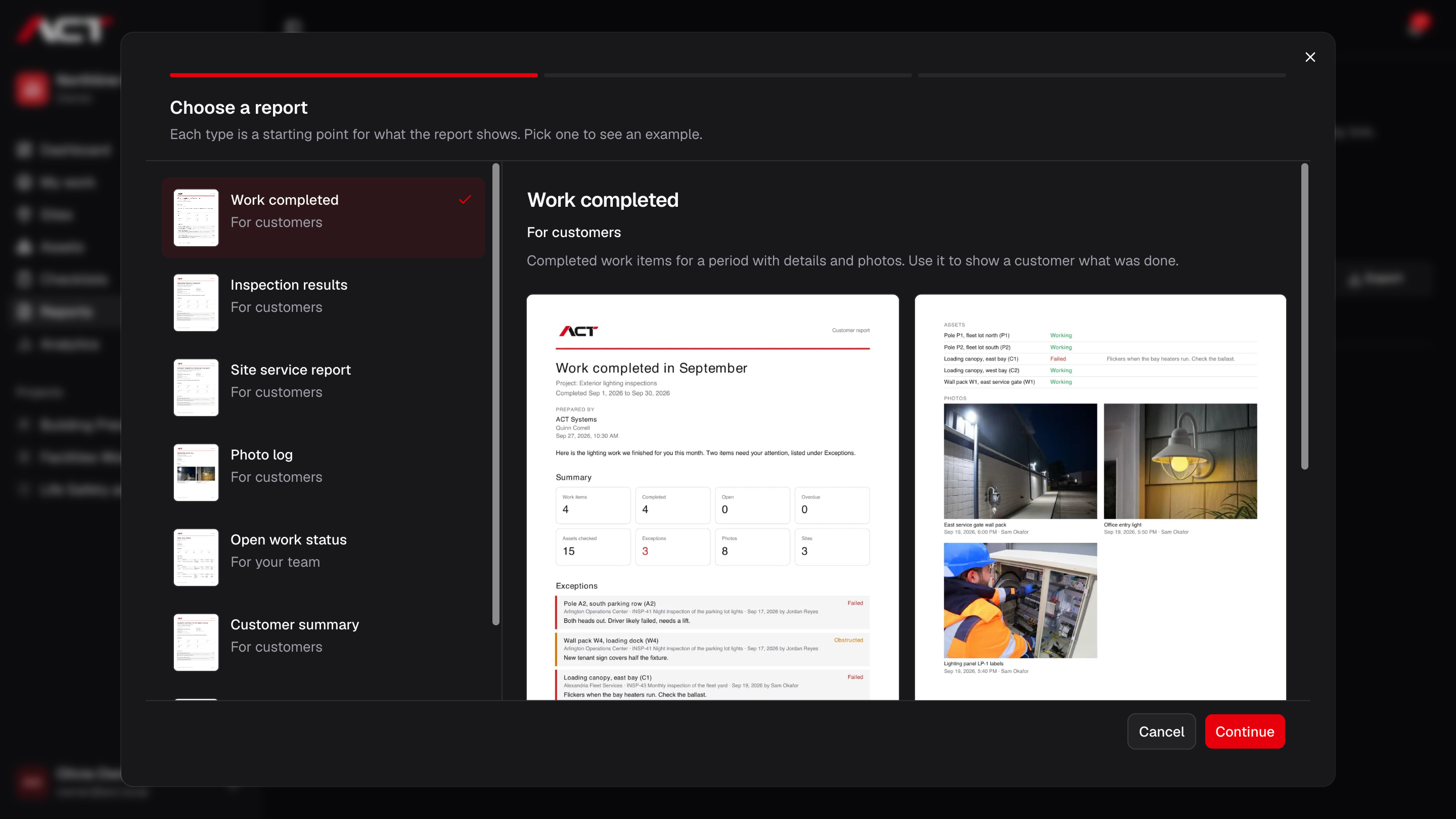
Build a focused report from the work, sites, assets, and evidence already in ACT. Publish a version for a customer or your own team.
Explore reports- Start from work, inspection, site-service, or photo-log report types.
- Choose the records and date range the report covers.
- Arrange report blocks and add your own context.
Know what’s included.
ACT is preparing for early access. Join the waitlist to hear when your team can get started.
Offline work, route optimization, time tracking, parts purchasing, quoting, and billing are not currently included. Compare ACT with the tools built for those needs before choosing your next system.
A clearer picture of
the work ahead.
Join the waitlist for ACT Systems. We’ll be in touch when your team can get started.
Early access. Free to join.