Every site. Every task.
One connected operation.
Plan the work, equip the team, and review the results. ACT connects your work items, sites, assets, and checklists in one operations workspace.
Preparing for early access. Free to join the waitlist.
Give every handoff the whole story.
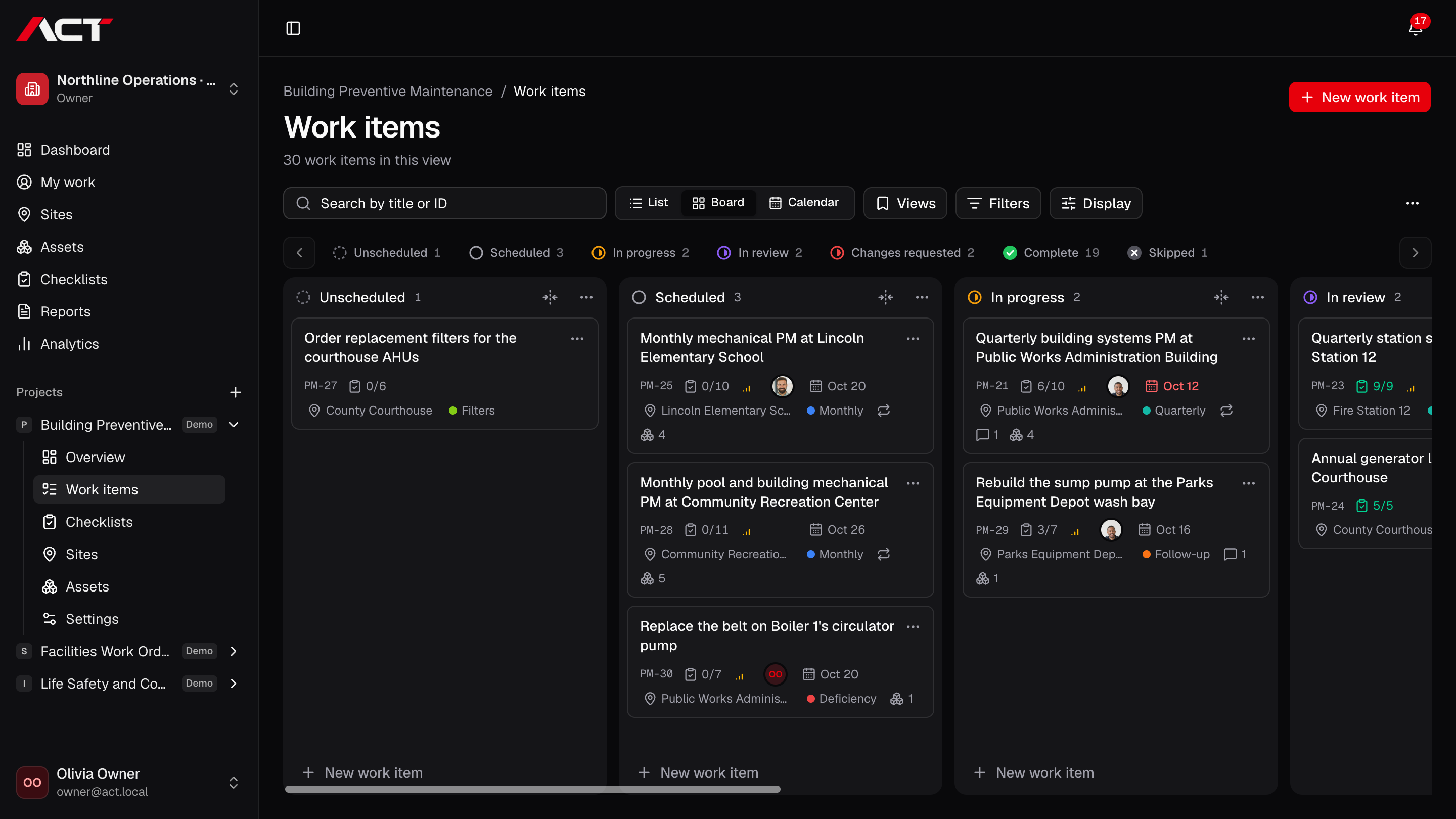
Put the assignment, the people, the place, and the evidence in one work item. The next person can pick up the work without piecing it together from messages.
Explore work items- Assign owners, managers, priorities, due dates, and labels.
- Connect a site, assets, subtasks, and related work items.
- Keep descriptions, files, comments, activity, and photos that show where they were taken.
A lasting home for every location.
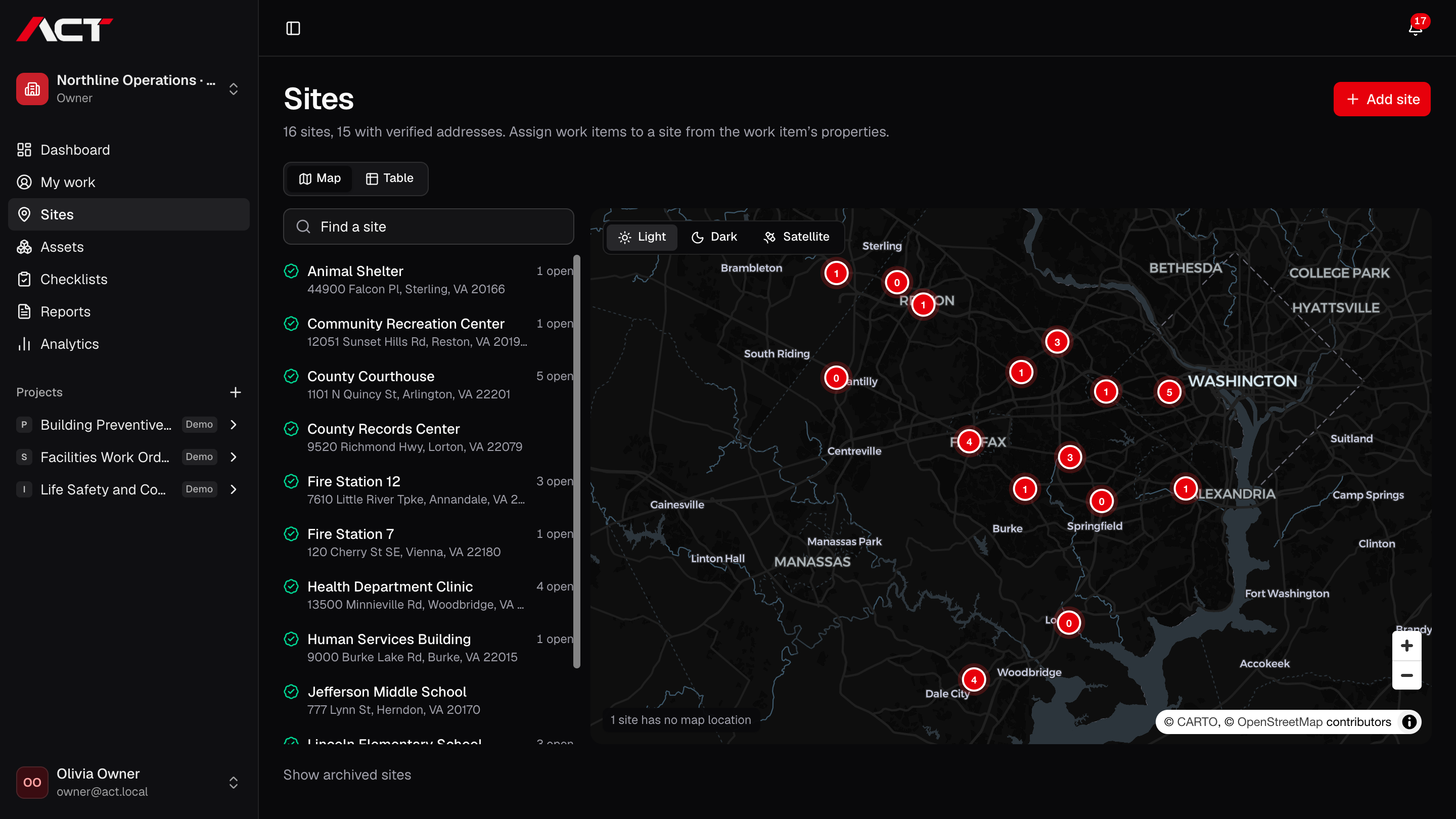
Bring site information and the work happening there together. A new assignment starts with the location already in context.
Explore sites- Keep named site records and address details.
- Connect sites with projects and work items.
- Keep the equipment at a location attached to its site.
See where every photo was taken.
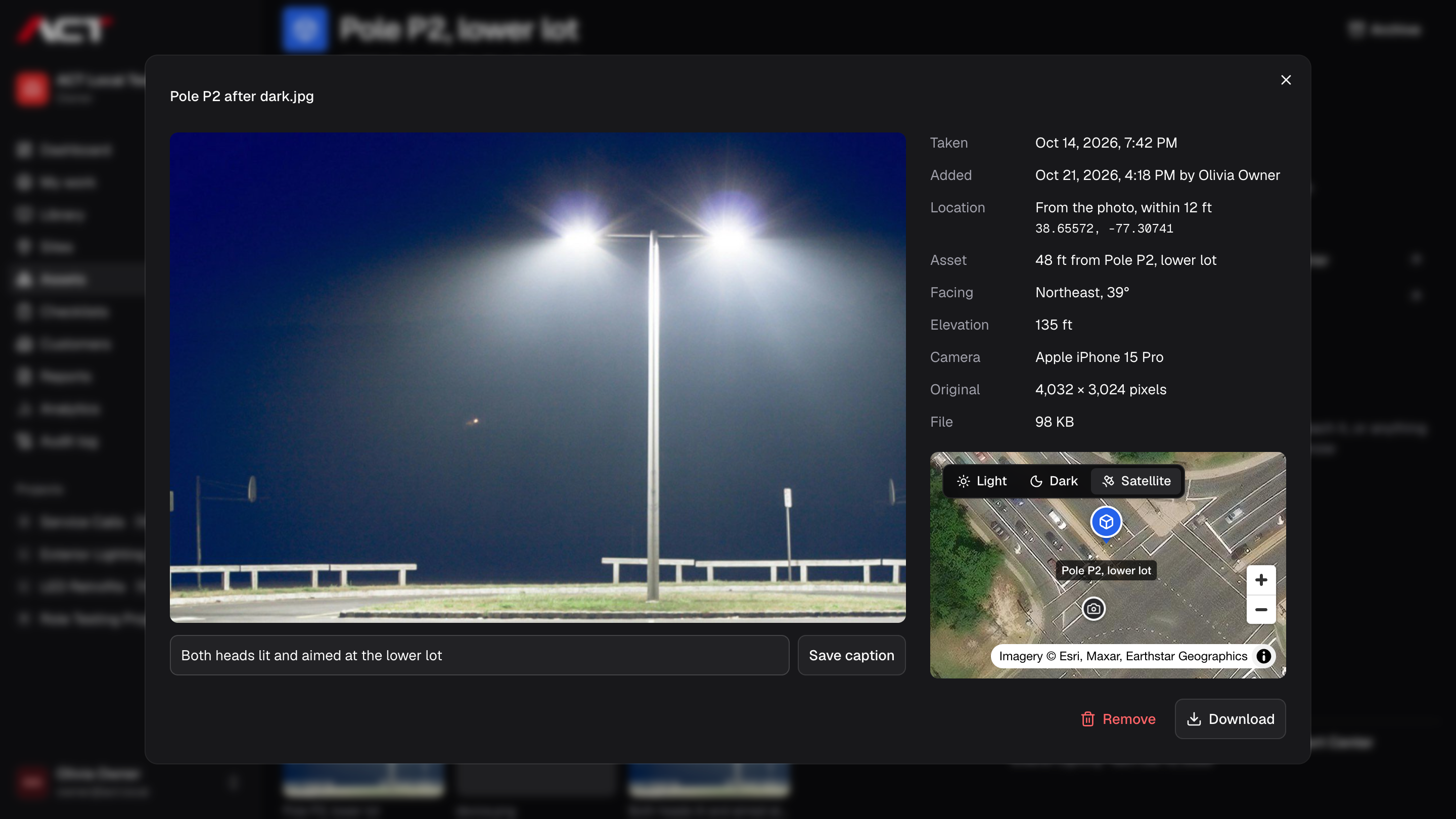
Each photo keeps when and where it was taken. Open it to see the spot on a map next to the asset or site it belongs to, and how far apart they are.
Explore photo locations- Read the time, place, and camera from each photo's own data before upload.
- Fall back to the phone's position when its camera leaves the location out.
- Show the photo's spot on a map beside its asset, or its site.
See the queue. Find the work that needs you.
Use a board for the flow of work, a list for the details, or a calendar for the schedule. Your team works from the same work items in every view.
Explore kanban & work views- Switch between list, board, and calendar views.
- Drag work between groups in list and board layouts.
- Filter by the properties that matter to your team.
More context.
Less chasing.
The photo in a message. The asset in a spreadsheet. The follow-up that never made it onto the board. Bring the work and its details together.
A place for every task
List, board, and calendar views. One set of work items.
The details, right there
Sites, assets, checklists, comments, and photos that show where they were taken.
A clear path to done
Review, corrections, and reports with a record of what happened.
Different teams.
Shared ground.
For work that happens across desks, sites, and shifts. Start with the part of your operation that needs a clearer picture.
Choose the system
that fits the work.
Comparing a task tracker, a maintenance platform, or the spreadsheets you already use? See where ACT fits, and where another tool may make more sense.
Explore the comparisonsA few things
to know.
What is ACT Systems?
ACT Systems is a work management application for operations teams. It connects tasks and projects with sites, assets, checklists, evidence, review, and reporting.
Who is it built for?
Teams coordinating real-world operations: facilities, field service, inspections, asset maintenance, multi-site work, and project delivery. Start with the workflow your team needs to make clearer.
Can we sign up today?
ACT is preparing for early access. Join the waitlist and we’ll email you when your team can get started. Existing invited users can sign in.
What will ACT cost?
ACT is quoted for each team. Start with the core workspace, choose the modules your operation needs, and we’ll price it for your team size.
See pricingA clearer picture of
the work ahead.
Join the waitlist for ACT Systems. We’ll be in touch when your team can get started.
Early access. Free to join.