
Take the photo
Use the phone camera or add a photo from the library. ACT reads where and when it was taken before the upload resizes it.
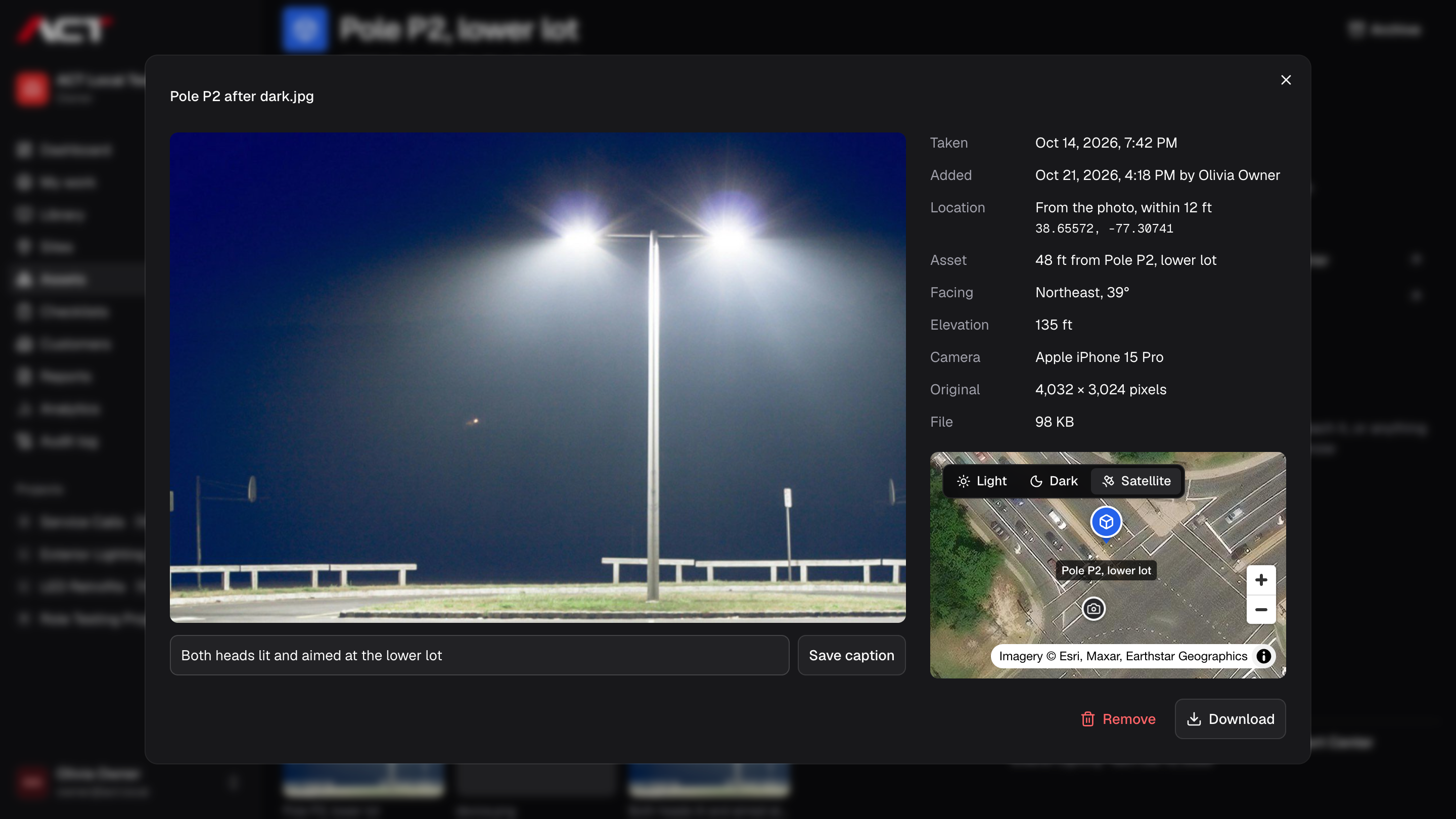
Each photo keeps when and where it was taken. Open it to see the spot on a map next to the asset or site it belongs to, and how far apart they are.
Use the phone camera or add a photo from the library. ACT reads where and when it was taken before the upload resizes it.
The photo viewer places the photo on satellite imagery, with the asset or site it belongs to marked beside it.
Reviewers see the distance from the asset and the time it was taken, so a photo of the right pole is easy to tell from one taken elsewhere.
No. ACT reads a location from a photo when it is added, and asks the phone for its position only when someone takes a photo or places an asset. It does not follow anyone between those moments.
ACT is preparing for early access. Join the waitlist with your company name and email. We will contact you when your team can be invited; joining does not create an account or guarantee a launch date.
Join the waitlist for ACT Systems. We’ll be in touch when your team can get started.
Early access. Free to join.