
Place it once
Open the site's assets, choose one that is not on the map, and save its spot on satellite imagery or from where you stand.
Put each pole, unit, and door on the map where it stands. Crews see what to check and where it is, and the office sees which assets are done and which need attention.
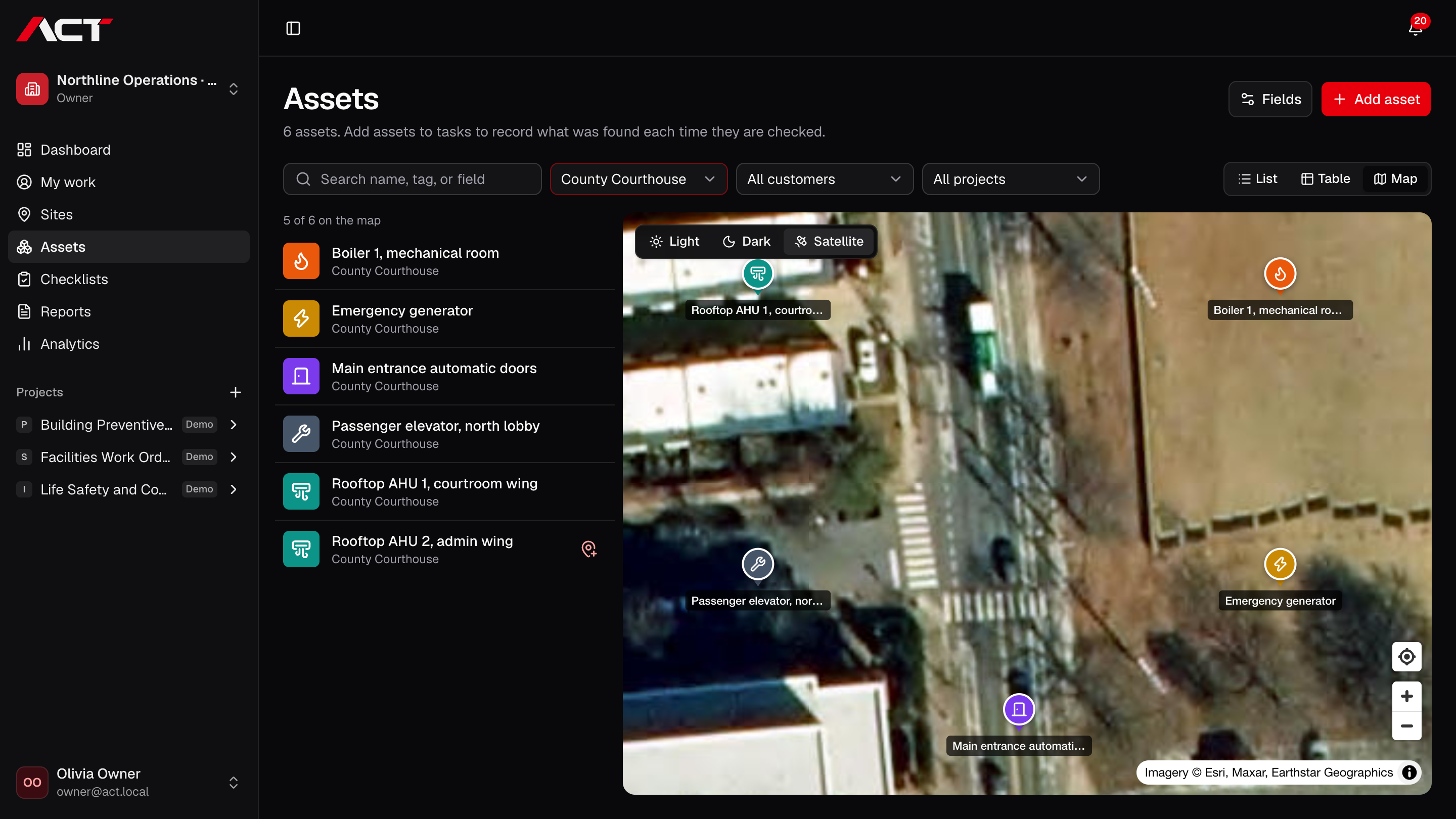
Open the site's assets, choose one that is not on the map, and save its spot on satellite imagery or from where you stand.
Switch a work item's assets to the map to see where each one is before walking the site.
Tap a pin to record the asset's result, notes, and photos. The pin shows when its work is done.
Not yet. Assets are placed outdoors on street and satellite maps at their site. Indoor floor plans are not included.
ACT is preparing for early access. Join the waitlist with your company name and email. We will contact you when your team can be invited; joining does not create an account or guarantee a launch date.
Join the waitlist for ACT Systems. We’ll be in touch when your team can get started.
Early access. Free to join.