
Invite the team
Choose who belongs in the workspace and assign the role that matches their responsibilities.
Separate workspace responsibilities from project participation. Invite the team, define roles, and keep permission decisions explicit.
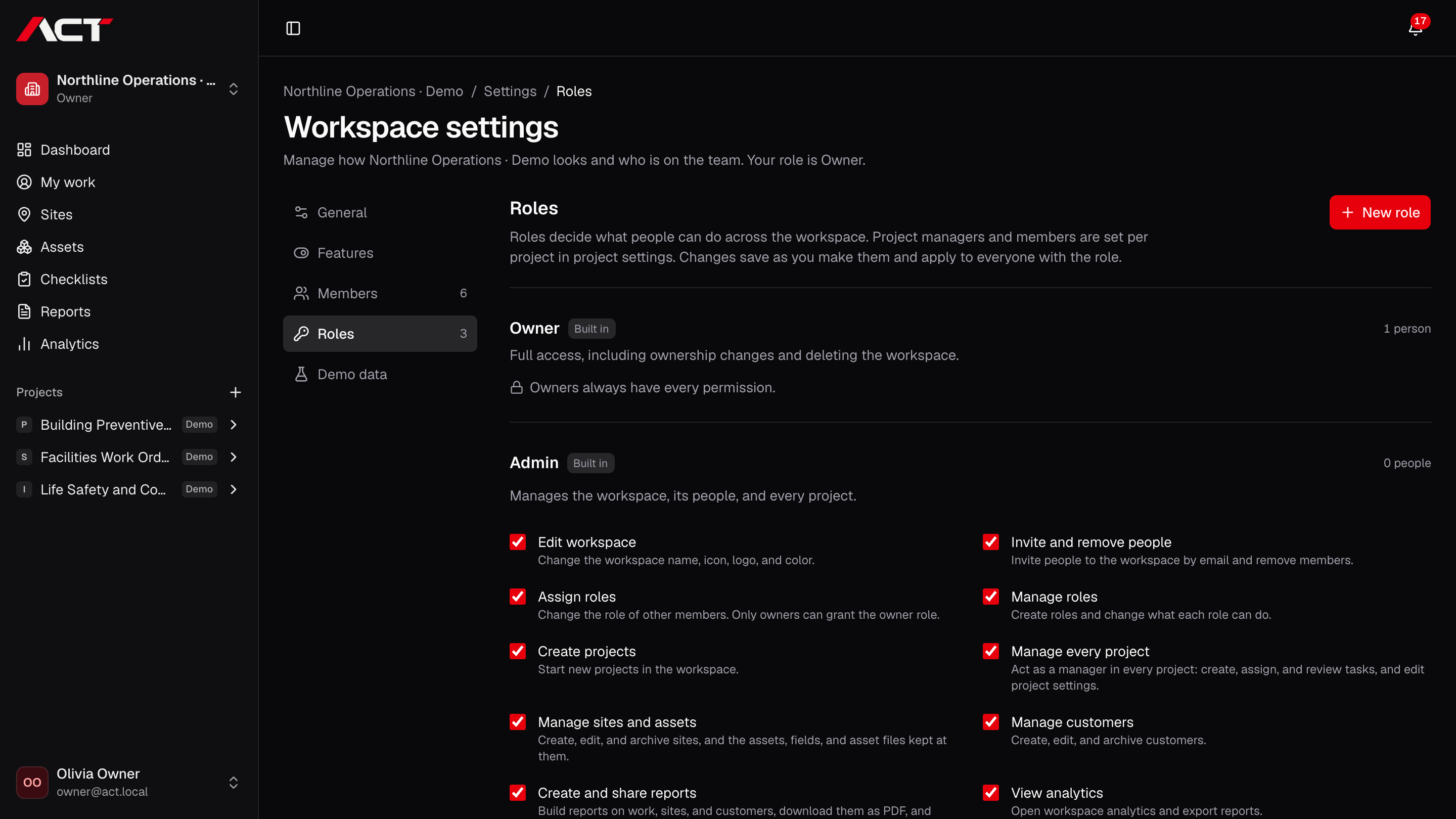
Choose who belongs in the workspace and assign the role that matches their responsibilities.
Decide who manages people, creates projects, updates site information, or shares reports.
Add managers and members to the relevant projects. Workspace access and project responsibilities remain distinct.
No. Owners have full workspace authority. Other role managers can only grant permissions they hold. Only owners can grant the owner role.
ACT is preparing for early access. Join the waitlist with your company name and email. We will contact you when your team can be invited; joining does not create an account or guarantee a launch date.
Join the waitlist for ACT Systems. We’ll be in touch when your team can get started.
Early access. Free to join.